


Introduction to waveform editing and generation
The waveform editing tool is software for cutting, joining, merging, and processing several waveform records. With it, a user can build the waveform data that the job requires.
Features
Cutting: cut one waveform or several. The tools select and cut a waveform precisely, to reach the required shape.
Joining: join several waveform records, for a longer time span or a continuous waveform.
Merging: merge different waveform records into one file, for a richer waveform.
Processing: process waveform data, including smooth joins and fixed fills.
Fine editing: selection, sliding, splitting, and other tools for detailed edits.
Notes
1. When editing waveform data, protect quality and completeness. Cutting or processing too far can lose or damage the data.
2. For a large or complex waveform project, use a computer with a higher specification and more memory, so the work stays responsive and rendering stays fast.
3. Back up or archive the data before editing, so a mistake or a loss does not become permanent.
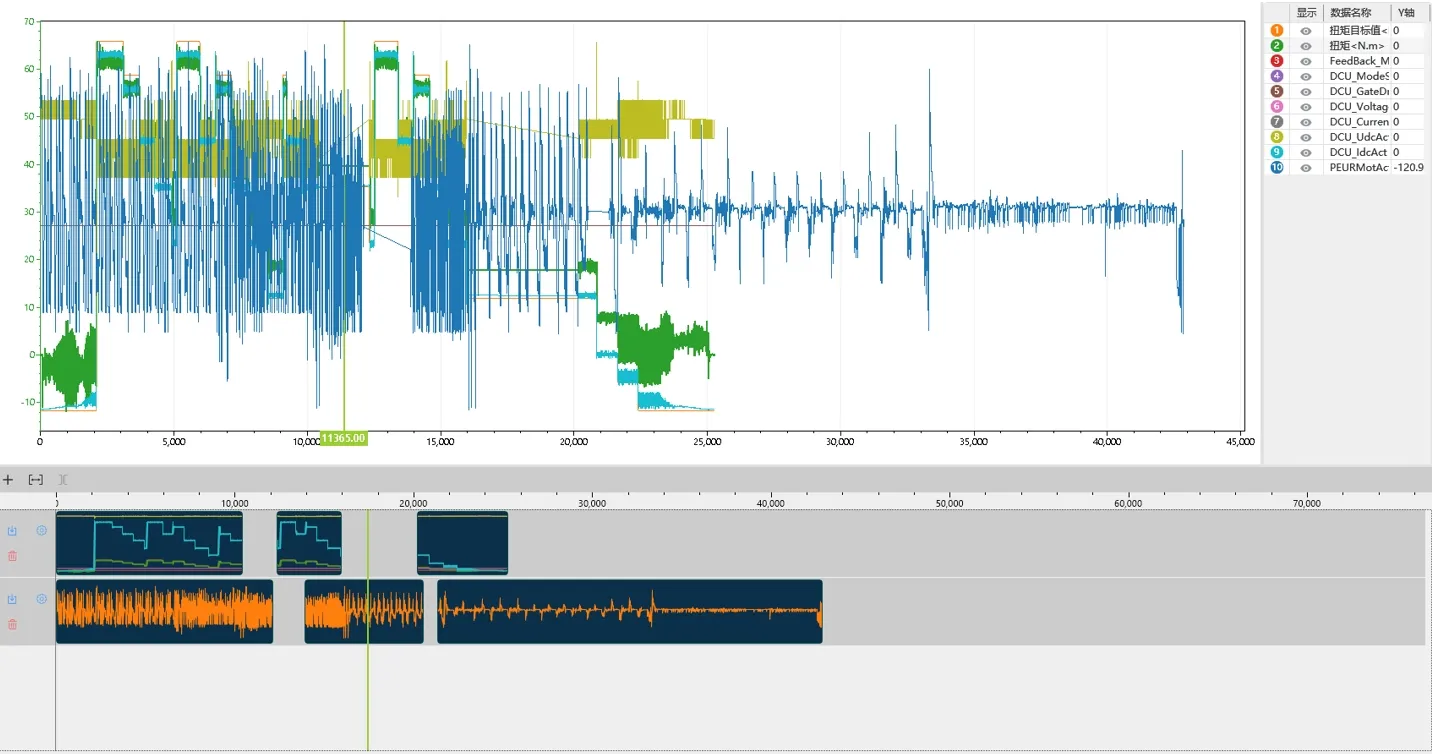
Software screen
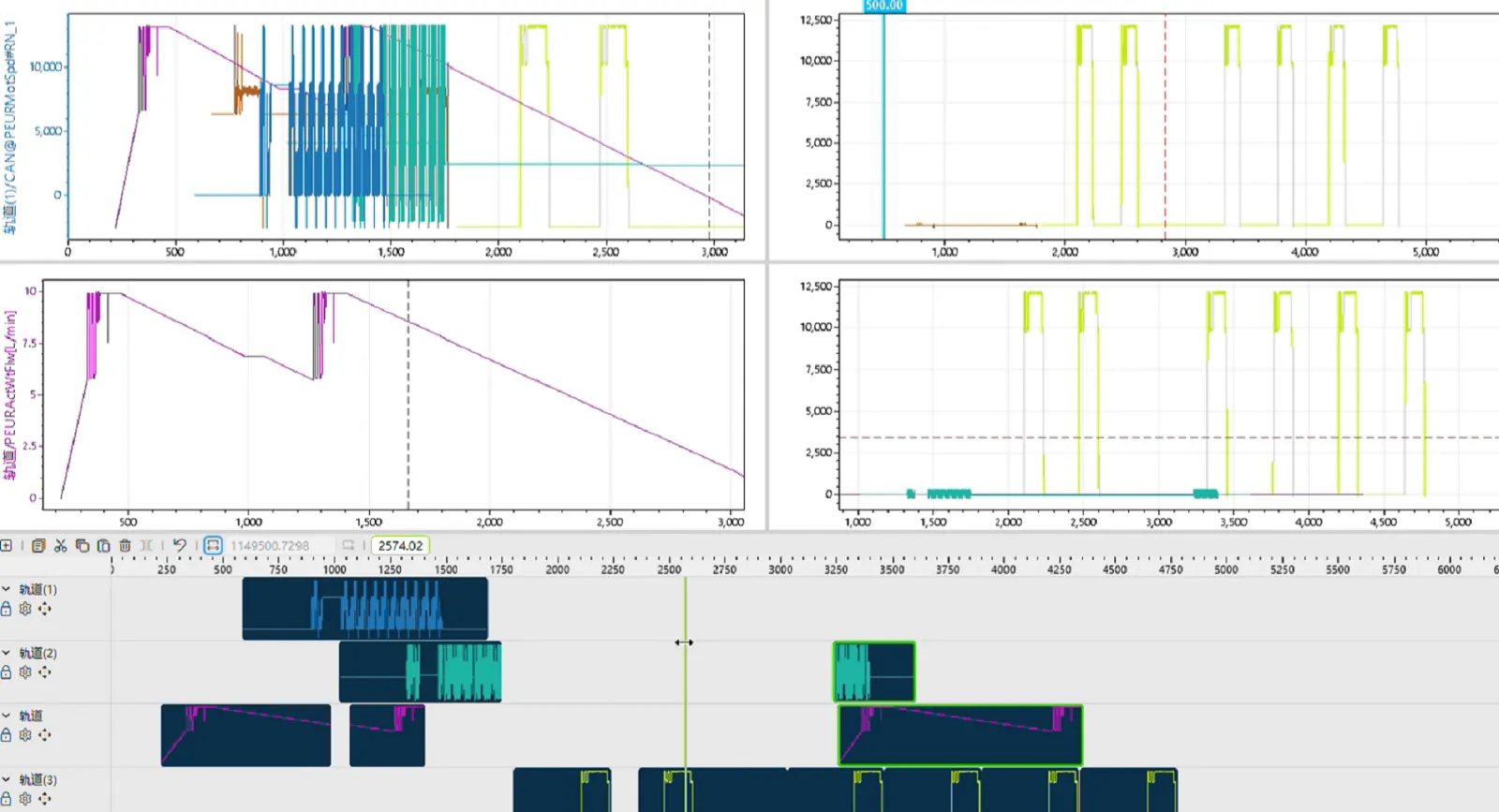
Example
Use the edited waveform as the target waveform of an experiment.